
Premium Carrd Templates for Fast One‑Page Websites
Launch a clean, professional website in minutes - without touching code or fighting a complicated website builder.
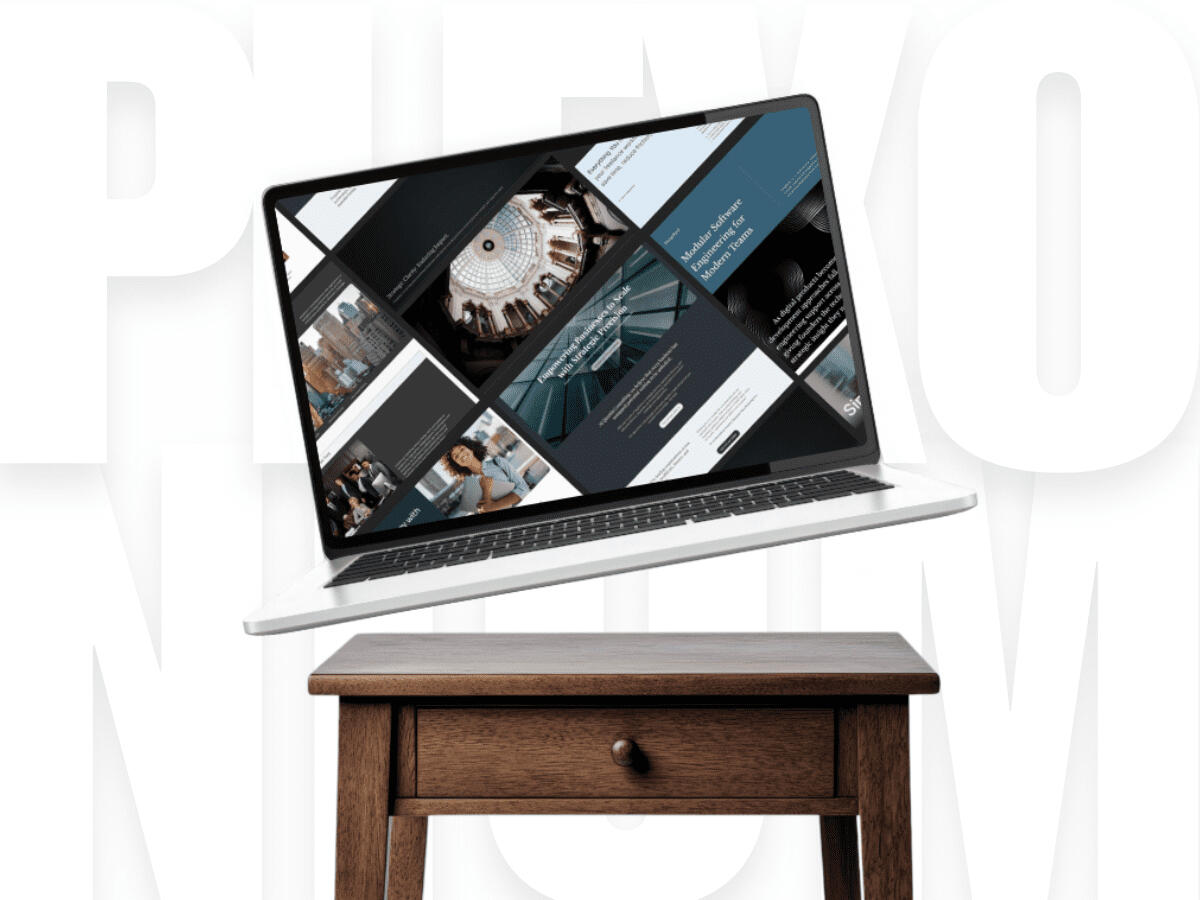
Pick a template → Add your content → ✨ Boom. Website.
THE PROBLEM
Why does "getting online" have to be such a headache?
Most entrepreneurs just need a simple, high-converting one‑page website. Instead, they end up wrestling with bloated website builders, confusing navigation menus, and layouts that break on mobile.Your website shouldn’t be the bottleneck. It should be the easiest part of launching your business.
THE SOLUTION
Simple, Modern Carrd Website Templates Ready to Launch
At Plexonium, we cut out the fluff. Our templates are built to work right out of the box - clean, fast, and founder‑friendly.
No coding required.
No confusing plugins.
No bloated dashboards.
No expensive monthly hosting fees.
Just a simple, affordable, and launch‑ready website.
WHAT YOU GET
Features Included in Every Template
Clean, modern layouts
Designed to make your brand look instantly put‑together.
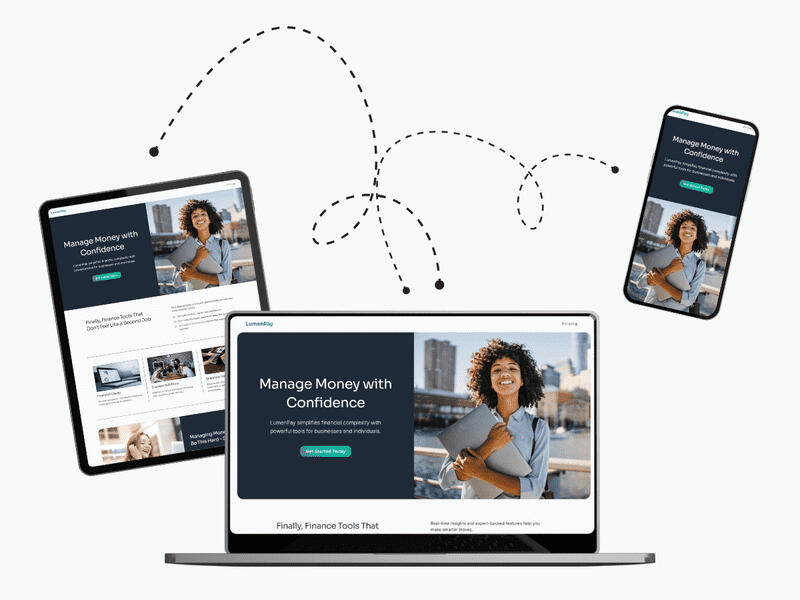
Mobile‑friendly everything
Your site looks great on every screen - no extra work required.
Easy drag‑and‑drop editing
Swap text, colors, and images without touching a single line of code.
SEO‑friendly structure
Clear headings, fast loading, and a layout Google actually understands.
BROWSE TEMPLATES
Launch‑Ready Websites for Busy Founders
Tech & SaaS Carrd Templates
Sleek, conversion-focused layouts built for product founders and software launches.
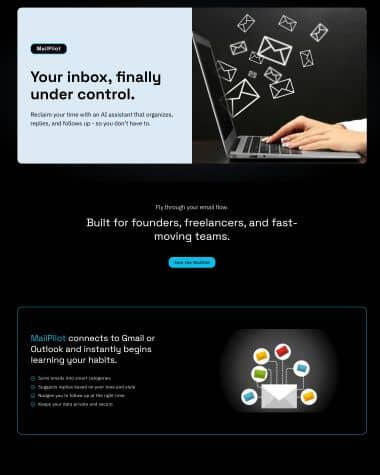
MailPilot - MVP Launch
Carrd Landing Page for SaaS Validation & Newsletters
$29
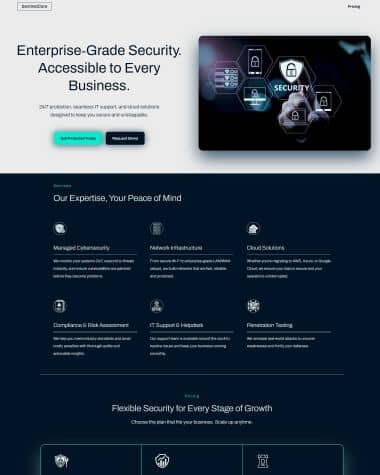
SentinelCore
High-Security Carrd Template for Cyber & IT Services
$29

ForgeByte
Tech-Focused Carrd Template for Software Developers
$29
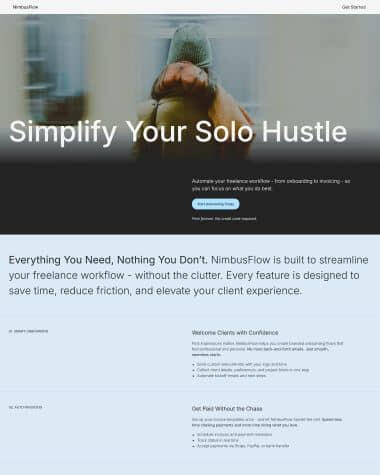
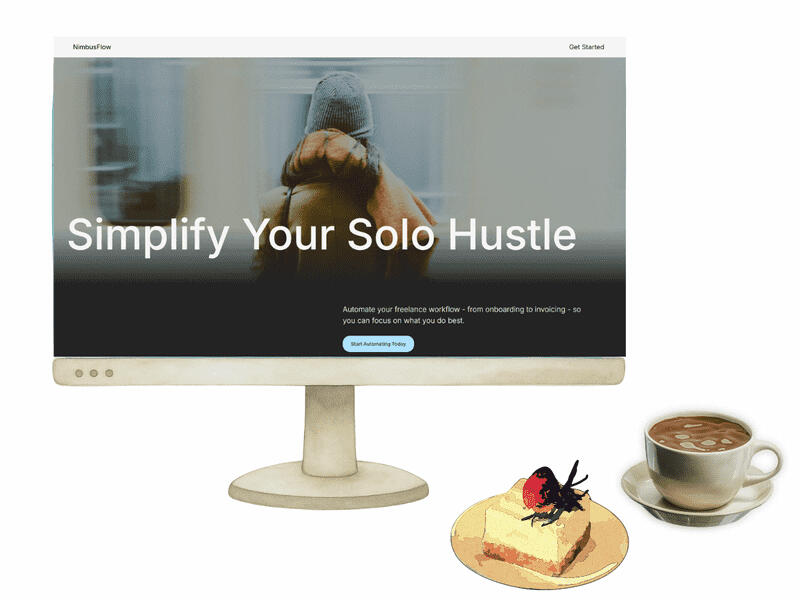
NimbusFlow
Simple Carrd Landing Page for Startups & Creators.
$29
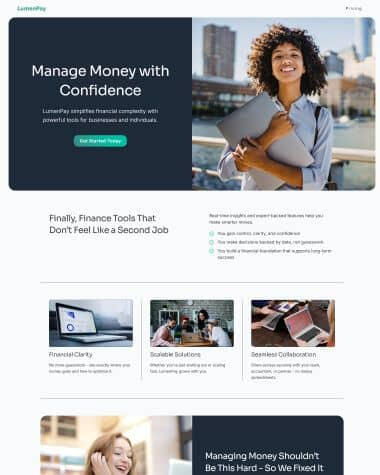
LumenPay
Clean Carrd Template for Fintech & Product Builders
$29
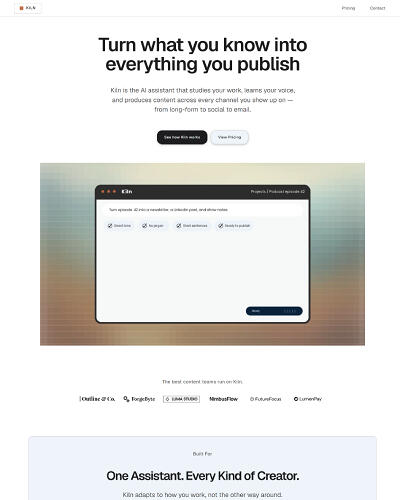
Kiln
Carrd Template for AI Assistants & Content Tools
$29
Professional & Consulting Carrd Templates
Executive-level layouts designed to build trust and highlight your expertise.
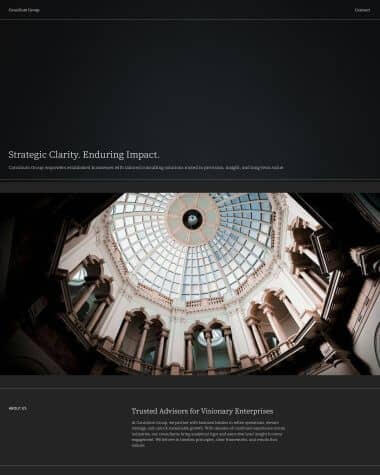
Consilium Group
Carrd Template for Agencies & Management Consultants
$29
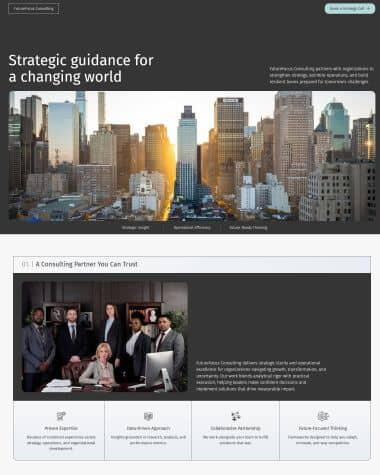
FutureFocus Consulting
Corporate Carrd Template for Financial & Strategy Advisors
$29
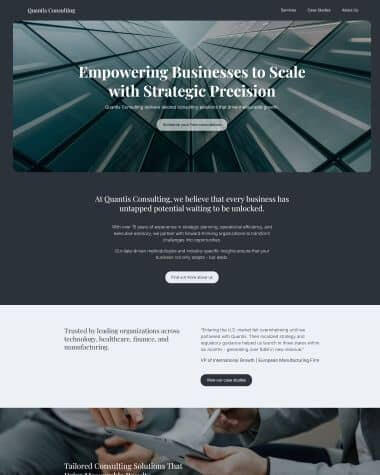
Quantis Consulting
Premium Carrd Template for Executive Coaches & Enterprise Experts
$29
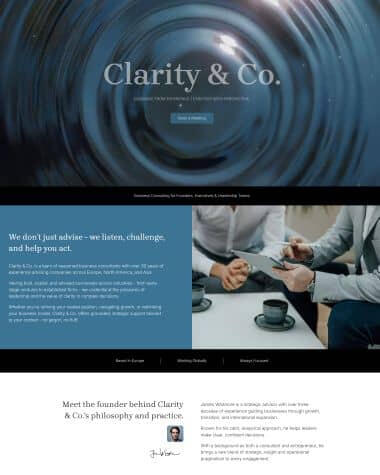
Clarity & Co
Minimalist Carrd Template for Consultants & Freelancers
$29
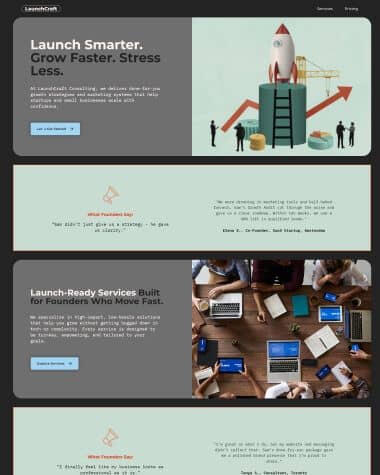
LaunchCraft Consulting
High-Conversion Carrd Template for Freelance Strategists
$29
HOW IT WORKS
From Template to Launch
1.
Choose Your Template
Browse the collection and pick the design that fits your brand and goals.
2.
Customize It in Carrd
Swap in your text, images, and colors - everything is fully editable.
3.
Launch Your New Website
Connect your domain, hit publish, and go live in minutes.
4.
Celebrate Like You Mean It
You just launched a whole website. That deserves a moment.
How Carrd Compares to Wix, Squarespace & Webflow
| Platform | Starting Price | Learning Curve | Speed to Launch | Best For |
|---|---|---|---|---|
| Carrd | $19 | Easiest | Minutes | One‑page sites, MVPs, founders |
| Wix | $213/yr | Medium | Hours | Multi‑page sites |
| Squarespace | $192/yr | Medium | Hours | Portfolios, creatives |
| Webflow | $168/yr | Hard | Days | Advanced custom sites |
Carrd is the ultimate choice for one‑page websites - exactly what entrepreneurs need when validating an idea, building a high-converting landing page, or establishing credibility fast.
Simple. Affordable. Maximum momentum.
What People (Probably) Say About Us




WHY PLEXONIUM
Everything You Need for a High‑Impact Website
Built for Busy Founders
Designed for people who need a fast, no‑drama website.
Message‑First Layouts
One‑page structures that make your core message land instantly.
Fast by Design
Zero bloat, zero fluff, zero chaos - just clean code that loads like lightning.
Launch‑Ready Speed
Go live so quickly your friends will think you hired a whole team.
Frequently Asked Questions
What happens after I buy a template?
Once you complete your purchase through Carrd, the template is added straight to your Carrd dashboard. You’ll find it in your Templates library, ready to open and customize immediately - no downloads, no setup, no waiting.
Do I need design or tech skills to use these templates?
Nope. Every template is designed so you can customize it quickly - even if you’ve never built a website before. You’ll edit text, add images, and adjust colors using Carrd’s intuitive drag‑and‑drop interface.
Are Carrd websites good for SEO?
Yes, Carrd sites are great for basic SEO. Because Plexonium templates use a clean structure, fast loading times, and a linear layout, they are incredibly easy for search engines like Google to crawl and index.
Can I connect my own custom domain?
Absolutely. With a Carrd Pro Standard plan (which is just $19/year), you can easily connect a premium domain you have purchased elsewhere (like Namecheap, GoDaddy, or Cloudflare).
About Plexonium Design
Serious About Websites.
Not So Serious About Everything Else.
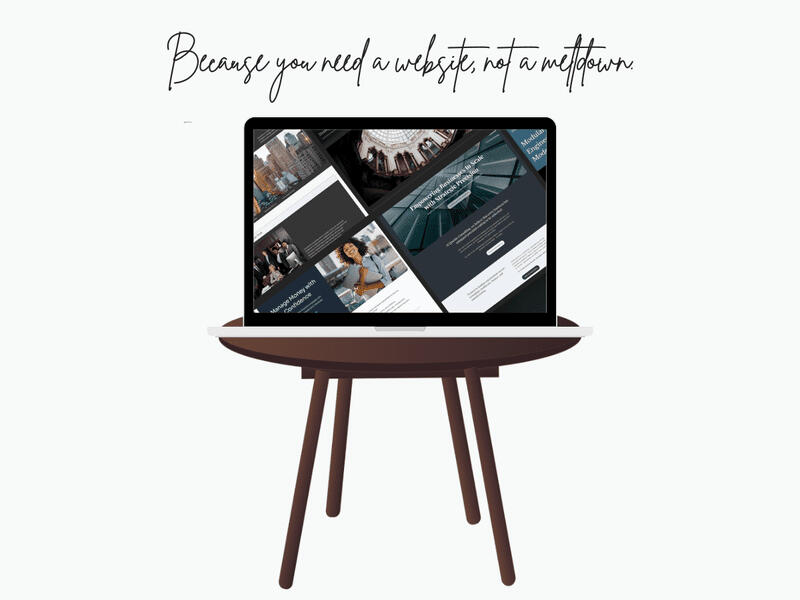
Welcome to Plexonium Design - the tiny corner of the internet where clean design meets zero‑stress website building. If you’ve ever opened a website builder and immediately felt your soul leave your body, congratulations, you’re exactly who we built this for.We believe websites shouldn’t require a PhD, a YouTube marathon, or a meltdown.They should be simple. Beautiful. And dare we say… fun.
Who We Are
We’re the people who looked at complicated website builders and said,“Absolutely not.”So we grabbed Carrd - the internet’s most delightfully simple website tool - and started crafting templates that look like you hired a fancy design agency… without actually hiring a fancy design agency.We’re obsessed with:
Clean, modern design
Websites that load faster than your morning coffee
Templates that don’t fight back
Making founders feel like website geniuses
And yes, we take “no stress” very seriously.
What We Do
We create launch‑ready Carrd templates for:
founders who don’t have time for website drama
consultants who want to look like they charge €5k/day
freelancers tired of “DIY until it breaks” energy
small businesses that want modern without the meltdown
creators who just want something that works
humans who enjoy sanity
Simple, modern, founder‑friendly templates that behave themselves.
What Is Carrd?
A Complete Beginner’s Guide
If you’re launching a new business, validating an idea, or simply need a clean online presence fast, you’ve probably come across Carrd. It’s one of the simplest and most affordable website builders available today - and it’s become a favorite among startup founders, freelancers, and small business owners.
This guide breaks down exactly what Carrd is, why it’s so popular, and how you can use it to launch a professional website in minutes.
What Is Carrd?
Carrd is a lightweight, user‑friendly website builder designed for creating simple, responsive one‑page websites.
Think of it as the fastest way to get a clean, modern website online - without coding, plugins, or complicated dashboards.With Carrd, you can build:
Landing pages
Startup homepages
Freelancer portfolios
Consulting websites
SaaS product pages
Personal profiles
Email capture pages
If you want a website that’s simple, beautiful, and easy to manage, Carrd is built for you.
Why Carrd Has Become So Popular
Carrd has exploded in popularity because it solves a real problem: most website builders are too complex for people who just need a straightforward, professional site.Here’s why Carrd stands out.1. It’s Extremely Easy to UseCarrd’s editor is clean, intuitive, and beginner‑friendly.
You can drag, drop, edit text, change colors, and publish - all in minutes.2. It’s Shockingly AffordableCarrd Pro costs just €9–€19 per year.Not per month - per year.Compared to Wix, Squarespace, or Webflow, it’s one of the most cost‑effective ways to get online.3. It’s Perfect for One‑Page WebsitesMost early‑stage businesses don’t need a complex multi‑page site.They need clarity, not clutter.Carrd excels at:
Clear messaging
Strong calls to action
Fast loading times
Mobile‑friendly layouts
4. It’s Fast to LaunchYou can go from idea to live website in under an hour - especially if you start with a template.5. It Looks Modern and ProfessionalCarrd sites are clean, minimal, and visually appealing.With the right template, your website can look like a polished, custom‑designed site.
What Can You Build With Carrd?
Carrd is incredibly flexible. Here are some of the most common use cases:
Startup Landing Pages - Perfect for MVPs, beta launches, and early‑stage validation.
Consulting & Freelance Websites - Showcase your services, expertise, and contact info in a clean, professional layout.
SaaS Product Pages - Highlight features, pricing, and benefits with a conversion‑focused design.
Small Business Websites - Give your business a credible online presence without the cost of a full custom build.
Personal Profiles & Portfolios - Simple, elegant, and easy to update.
How to Build a Website in Carrd (The Simple Way)
You can build a Carrd site from scratch - but the fastest way is to start with a professionally designed template.Here’s the typical flow:1. Choose a TemplatePick a design that matches your brand and business type.(Plexonium Design offers templates for consultants, freelancers, SaaS founders, and small businesses.)2. Customize It in CarrdReplace text, update colours, add images and your logo, and tweak the layout.3. Connect Your DomainCarrd Pro lets you use your own domain name.4. Publish Your SiteClick publish - and your website is live.
Who Should Use Carrd?
Carrd is ideal for:
Startup founders
Freelancers
Consultants
SaaS builders
Small business owners
Creators
Anyone who wants a simple, modern website
If you value speed, clarity, and affordability, Carrd is a perfect fit.
Why We Build Templates for Carrd
At Plexonium Design, we specialise in Carrd because it aligns perfectly with what early‑stage businesses need:
Clean, modern design
Fast setup
Low cost
High conversion potential
Zero complexity
Our templates help you skip the design struggle and launch with confidence.
Final Thoughts: Is Carrd Right for You?
If you want a simple, professional website that’s easy to manage and affordable to maintain, Carrd is one of the best choices available.It’s fast.
It’s flexible.
It’s budget‑friendly.And with the right template, it can look incredibly polished.Whether you’re launching a startup, promoting a service, or building your personal brand, Carrd gives you everything you need - without the overwhelm.
Why One‑Page Websites Convert Better
When you’re launching a new business, clarity is everything. Your visitors don’t want to dig through menus, click through multiple pages, or hunt for the information they need. They want answers - fast.That’s exactly why one‑page websites consistently outperform traditional multi‑page sites in conversions, especially for startups, freelancers, consultants, and small businesses.In this guide, we’ll break down why one‑page websites work so well, and why they’ve become the go‑to choice for modern, high‑impact online presence.
1. One Page = Zero Distractions
Every extra click is a chance to lose a visitor.One‑page websites eliminate that problem entirely.Instead of scattering your message across multiple pages, everything is presented in a single, focused flow:
Who you are
What you offer
Why it matters
How to contact you or buy
This keeps visitors engaged and moving toward your call to action without friction.
2. Clear, Linear Storytelling
A one‑page website guides visitors through a structured narrative:
Problem
Solution
Benefits
Social proof
Call to action
This mirrors how people naturally process information.
It’s the same reason landing pages convert so well - they tell a story from top to bottom.
When your message is clear and linear, conversions go up.
3. Faster Load Times = Higher Conversions
Speed matters. A slow website kills conversions.One‑page sites are:
Lighter
Simpler
Faster to load
Less likely to break
Carrd, in particular, is known for its speed.
A fast site keeps visitors engaged and reduces bounce rates - a major factor in conversion performance.
4. Perfect for Mobile Users
More than half of web traffic comes from mobile devices.One‑page websites shine here because:
No menus to navigate
No page switching
Smooth scrolling experience
Clean, readable sections
Mobile visitors convert better when the experience is simple and intuitive - exactly what a one‑page layout delivers.
5. Easier to Maintain and Update
A website that’s easy to update is a website that stays relevant.With a one‑page site:
You only edit one place
You can update content in minutes
You avoid plugin issues and broken pages
You stay consistent across your entire brand
This is especially valuable for early‑stage businesses that evolve quickly.
6. Ideal for Focused Calls to Action
Whether your goal is to:
Book a call
Capture emails
Sell a service
Promote a product
Drive sign‑ups
A one‑page website keeps the CTA front and center.Visitors don’t get lost.
They don’t wander.They don’t get overwhelmed.They see the action you want them to take - and they take it.
7. Lower Cost, Higher ROI
One‑page websites are more affordable to build and maintain, especially on platforms like Carrd.You save money on:
Hosting
Design
Development
Maintenance
Plugins
And because they convert better, the return on investment is often higher than with a complex multi‑page site.
8. Perfect for Early‑Stage Businesses
When you’re just starting out, you don’t need a 10‑page website.You need clarity, speed, and credibility.A one‑page website gives you:
A professional online presence
A clear message
A fast launch
A simple structure you can grow later
It’s the ideal foundation for startups, freelancers, consultants, and small businesses.
Final Thoughts
One‑page websites convert better because they’re simple, focused, and built around how people actually browse the internet today.They reduce friction.
They tell a clear story.
They guide visitors toward action.And they’re faster, cheaper, and easier to maintain.If you want a high‑impact website without the complexity, a one‑page design - especially built on Carrd - is one of the smartest choices you can make.
How to Create a Startup Landing Page That Converts
A great startup landing page doesn’t just look good - it communicates clearly, builds trust quickly, and drives visitors toward a single action. Whether you’re validating an idea, launching an MVP, or promoting a new service, your landing page is often the first impression your audience gets.The good news is that you don’t need a complex website to convert visitors into customers. You just need a focused, well‑structured landing page that tells the right story in the right order.Here’s how to build one that works.
1. Start With a Clear, Compelling Hero Section
Your hero section is the first thing visitors see.It needs to answer three questions instantly:
What do you offer
Who is it for
Why it matters
A strong hero includes:
A punchy headline
A short supporting sentence
A clear call to action (CTA)
Optional: a visual or illustration
Avoid vague statements like “Innovating the future.”Be specific, direct, and benefit‑driven.
2. Explain the Problem You Solve
Visitors convert when they feel understood.Use a short section to highlight the pain points your audience faces.
Examples:
“Managing client projects shouldn’t feel chaotic.”
“Small businesses deserve a simple way to get online.”
Keep it concise. The goal is to show you get their struggle.
3. Present Your Solution Clearly
Now that you’ve framed the problem, introduce your product or service as the answer.This section should:
Describe what you offer
Highlight the core benefit
Use simple, jargon‑free language
Think clarity over cleverness.
4. Highlight Key Features (But Keep It Simple)
Features matter - but only when they support the benefits.Use short, scannable bullet points such as:
Fast setup
Easy to use
Mobile‑friendly
Affordable pricing
No technical skills required
Each feature should reinforce why your solution is the right choice.
5. Add Social Proof (Even If You’re Early)
People trust what others trust.If you have testimonials, include them.If you don’t, you can still build credibility with:
“Trusted by early‑stage founders”
“Built using best‑practice UX principles”
“Designed for clarity and conversions”
Social proof reduces hesitation and increases conversions.
6. Show How It Works in 3 Simple Steps
A simple process builds confidence.Break it down into three steps:
Sign up or choose a plan
Use the product or service
Get the result
Clarity = trust.
7. Use a Strong Call to Action (CTA)
Your CTA should be:
Clear
Action‑oriented
Repeated throughout the page
Examples:
“Get Started”
“Try It Free”
“Book a Call”
Make it impossible to miss.
8. Keep the Design Clean and Focused
A cluttered landing page kills conversions.Use:
Plenty of white space
Clear typography
Consistent colors
Simple visuals
A single CTA goal
This is where Carrd shines - it forces simplicity and clarity.
9. Make It Mobile‑Friendly
More than half of your visitors will be on mobile.Your landing page must:
Load fast
Be easy to scroll
Have readable text
Use mobile‑optimized spacing
Carrd templates are naturally responsive, which gives you a big advantage.
10. Test, Refine, Improve
A high‑converting landing page is never “done.”Experiment with:
Different headlines
CTA placement
Shorter or longer copy
Visuals
Testimonials
Small tweaks can lead to big improvements.
Final Thoughts
A great startup landing page doesn’t require a complex website or a huge budget.It requires clarity, structure, and a focus on what your audience needs.By following these principles, you can create a landing page that:
Communicates your value
Builds trust
Reduces friction
Drives conversions
And if you want to skip the design struggle, Plexonium Design offers clean, modern Carrd templates built specifically for startups.
How to Launch Your Website in One Day Using Carrd
A fast, simple, founder‑friendly guide to getting your website online today.
Why One Day Is Enough
Most website builders slow you down with dashboards, plugins, and endless settings.
Carrd does the opposite - it gives you a clean, focused canvas so you can launch fast without sacrificing quality.If you have your content ready (or even half‑ready), you can go from idea to live website in a single day.Here’s the exact process.
Step 1. Choose a Template (10–20 minutes)
Start with a structure that already works.A good Carrd template gives you:
a clean layout
mobile‑ready sections
consistent spacing
pre‑built typography
a clear visual hierarchy
This saves hours of design decisions and lets you focus on your message instead of layout.Tip: Pick a template that already feels 80% like your brand. You can adjust the rest later.
Step 2. Write Your Core Content (1–2 hours)
You don’t need a novel. You need clarity.Focus on these essentials:
A strong headline (what you offer)
A short intro (why it matters)
Your key benefits (why someone should care)
A simple call to action (what they should do next)
Optional: testimonials, pricing, FAQs
Keep it short, direct, and human.
Carrd shines when the copy is clean and to the point.Tip: Write first, edit later. Momentum matters more than perfection.
Step 3. Customize the Template (1–2 hours)
This is where Carrd feels magical.Swap in:
your text
your images
your brand colors
your logo
your button labels
Because Carrd is so minimal, you won’t get lost in settings.
Every change is instant, visual, and intuitive.Tip: Stick to 1–2 fonts and 2–3 colors. Simplicity looks premium.
Step 4. Connect Your Domain (10–30 minutes)
Carrd makes publishing ridiculously fast.You can:
use a custom domain
or publish to a Carrd subdomain
Connecting a domain usually takes minutes, not hours.Tip: If DNS takes longer to update, don’t panic - that’s normal. It’s not you, it’s the internet.
Step 5. Go Live (5 minutes)
Hit Publish and your website is online.
No plugins.
No updates.
No maintenance.
No dashboard chaos.
Just a clean, modern website that loads fast and looks great on every device.
Step 6. Share It (10 minutes)
Once you’re live:
update your social profiles
add your link to email signatures
share the launch on social
send it to your audience or clients
This is the moment where everything becomes real.
Why Carrd Makes One‑Day Launches Possible
Carrd removes the friction that slows most people down:
no complex menus
no plugin conflicts
no theme settings
no coding
no bloat
You focus on your message.
Carrd handles the rest.Launching in one day isn’t a hack - it’s the natural result of using a tool designed for speed.
Final Thoughts
If you’ve been putting off your website because it feels overwhelming, Carrd is your way out.
You don’t need a six‑week build.
You don’t need a designer.
You don’t need a complicated platform.You just need a clear message, a clean template, and a single day of focused work.Your website could be live tonight.
The Essential Checklist Before Publishing Your Website
A simple, universal pre‑launch guide to make sure your site is ready to go live.
Launching a website is exciting - but before you hit “Publish,” it’s worth running through a quick checklist to make sure everything looks clean, works properly, and feels intentional.
This list works for any platform, any website, and any industry.Here’s what to check before you go live.
1. Read Your Website Out Loud
It sounds simple, but it’s one of the fastest ways to catch:
awkward phrasing
typos
missing words
unclear sentences
If something feels clunky when spoken, rewrite it.
2. Test Your Website on Mobile
Most visitors will see your site on their phone first.Check:
spacing
font sizes
button placement
image scaling
readability
If anything feels cramped or oversized, adjust it.
3. Click Every Button and Link
Make sure:
all buttons work
all links go to the right place
external links open in a new tab
email links open correctly
A broken button is one of the fastest ways to lose trust.
4. Check Your Images
Look for:
crisp quality
consistent style
correct cropping
fast loading
If an image looks blurry or heavy, replace or compress it.
5. Review Your Headings and Structure
Your content should be easy to scan.Check that:
headings are clear
sections flow logically
paragraphs are short
spacing feels intentional
Good structure = better readability.
6. Confirm Your Call to Action
Every website needs a clear next step.Ask yourself:
What do I want visitors to do?
Is that action obvious?
Is the button easy to find?
If the CTA is buried, bring it forward.
7. Test Your Contact Method
Whether it’s a form, email link, or booking page - make sure it works.Send yourself a test message.
Check that it arrives.
Fix anything that feels confusing.
8. Check Your Social Links
Make sure your icons or links point to the correct profiles.
It’s a small detail, but visitors notice.
9. Add Basic SEO Essentials
You don’t need to be an expert - just cover the basics:
page title
meta description
alt text for images
readable URLs
These small steps help search engines understand your site.
10. Do a Final Visual Pass
Look at your site as if you’re a first‑time visitor.Ask:
Does it feel clean?
Does anything look out of place?
Is the spacing consistent?
Does the design match the brand?
Trust your eye - if something feels “off,” it probably is.
Final Thoughts
Launching a website doesn’t have to be complicated.
A quick checklist like this keeps things simple and ensures your site feels polished, intentional, and ready for visitors.Once everything looks good, hit publish - your website deserves to be out in the world.
Terms & Conditions | Privacy
Last updated: 17/05/2026Welcome to Plexonium. This page explains how our templates can be used, what you can expect from us, and how we handle your information. We’ve kept things clear, friendly, and free of unnecessary legal jargon - because nobody needs more of that in their life.
Using Our Templates (Licensing)
When you purchase a template from Plexonium, you’re buying a non‑exclusive license to use that design in your own creative work.A gentle note on fair useWe kindly ask that each purchase be used for one project - whether that’s your own website or a client’s. This helps support the time and care that goes into creating these templates.If you’d like to use the same template for multiple client projects, we really appreciate purchasing additional licenses. It keeps the lights on and lets us keep making beautiful things.
No stress, no policing - just a simple request rooted in fairness.What you can do
Use the template for one website or project
Customize it however you like
Use it for a client project
Keep the final site live forever
Attribution (Optional): A link back to plexonium.com is always appreciated.
What you can’t do
Resell or redistribute the template files
Share the raw template with others
Claim the original design as your own
Use one purchase for unlimited client work
If you’re ever unsure, just ask - we’re friendly.
Payments & Refunds
Because our products are digital and delivered instantly, all sales are final. Please review the live demos carefully before purchasing.
Carrd Requirements
You must have a Carrd.co account. Templates will require a Carrd Pro subscription (Lite, Standard or Plus) to function correctly (e.g., for custom forms, widgets, or advanced settings). The exact plan requirement is listed on the checkout page. Plexonium is not responsible for Carrd’s platform fees.
Intellectual Property
All templates, designs, and assets remain the intellectual property of Plexonium.
Your purchase gives you usage rights - not ownership of the original design.
Limitation of Liability
Plexonium provides these templates "as-is." We are not responsible for any direct or indirect damages, including loss of data or business interruptions, resulting from the use or inability to use our templates.
Support
We offer light support for:
Access issues
Template questions
Clarifying how things work
We don’t offer:
Custom design work
Custom coding
Ongoing site maintenance
Privacy Notice
Plexonium.com does not use cookies, advertising pixels, or any form of personal tracking.We use Cloudflare Web Analytics, a privacy‑focused, cookie‑free analytics tool that collects anonymous, aggregated data such as page views, device type, and country. This information helps us understand overall site performance - without identifying you.We do not collect personal data unless you contact us directly by email.
We do not sell, share, or use your information for advertising.You can browse freely knowing your privacy is respected.
What Information We Collect
We only collect personal data if you email us directly.This may include:
Your name
Your email address
Anything you write in your message
That’s it. No hidden data collection.
How We Use Your Information
We use your information solely to:
Reply to your message
Provide support
Help with your purchase
We do not use your data for marketing unless you explicitly ask us to.
Sharing Your Information
We do not sell, rent, or share your data with anyone.
The only exception is if required by law.
Data Storage & Your Rights
Your emails are stored securely in our email system.You can request:
A copy of your data
Correction of your data
Deletion of your data
Just email us and we’ll take care of it.
External Links
Our site may link to third‑party services (like Carrd or payment processors).
We’re not responsible for their privacy practices, so please check their policies too.
Modifications
We reserve the right to change these terms at any time. Continued use of the site following changes constitutes your acceptance of the updated terms.
Contact
If you have questions about licensing, privacy, or anything else, reach out anytime: [email protected]